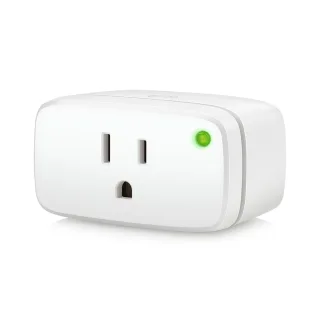
 Energy (Matter)
$35.82$43.95
- 1,800 WMax load: 1,800 W
- Type B (US)Plug type: Type B (US)
- Wi-Fi: NoWi-Fi: No
- HA: MatterHome Assistant: Matter
A smart plug is the cheapest way to automate something, which is why the differences hide in the small print: whether it measures energy, how much load it takes, whether it blocks the socket next to it, and whether it keeps working when the maker’s cloud doesn’t. Those are the rows we compare, each with its source.
| # | Device | Spec score | Price |
|---|---|---|---|
| 1 |
 EveEnergy (Matter) |
87 |
$35.82 |
| 2 |
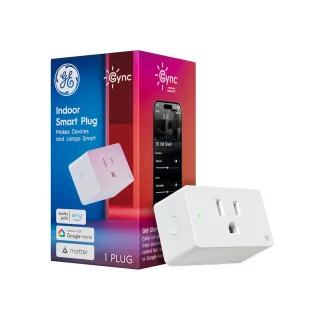
 GECync Indoor Smart Plug (Matter) |
49 |
$9.98 |
| 3 |
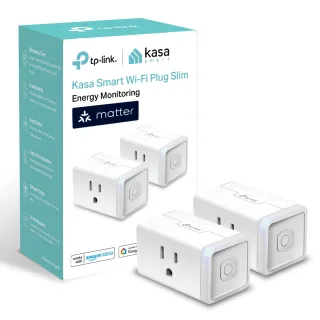
 TP-LinkKasa KP125M |
41 |
$24.99 |
| 4 |
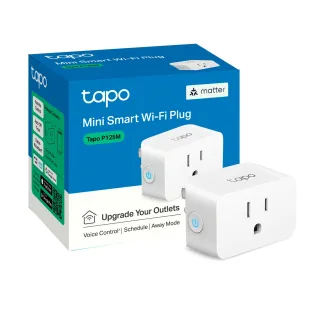
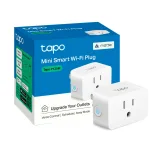 TP-LinkTapo P125M |
41 | $11.99 |
| 5 |
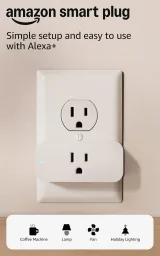 AmazonSmart Plug |
19 | $24.99 |
| # | Device | Spec score | Price |
|---|---|---|---|
| 1 |
EveEnergy (Matter)
|
87 |
$35.82 |
| 2 |
GECync Indoor Smart Plug (Matter)
|
49 |
$9.98 |
| 3 |
TP-LinkKasa KP125M
|
41 |
$24.99 |
| 4 |
TP-LinkTapo P125M
|
41 | $11.99 |
| 5 |
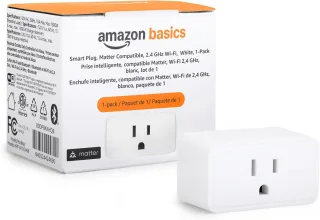
 Amazon BasicsSmart Plug (Matter) |
— |
$8.98 |
| # | Device | Spec score | Price |
|---|---|---|---|
| 1 |
EveEnergy (Matter)
|
87 |
$35.82 |
| 2 |
GECync Indoor Smart Plug (Matter)
|
49 |
$9.98 |
| 3 |
TP-LinkKasa KP125M
|
41 |
$24.99 |
| 4 |
TP-LinkTapo P125M
|
41 | $11.99 |
| 5 |
Amazon BasicsSmart Plug (Matter)
|
— |
$8.98 |
| # | Device | Spec score | Price |
|---|---|---|---|
| 1 |
EveEnergy (Matter)
|
87 |
$35.82 |
| 2 |
GECync Indoor Smart Plug (Matter)
|
49 |
$9.98 |
| 3 |
TP-LinkKasa KP125M
|
41 |
$24.99 |
| 4 |
TP-LinkTapo P125M
|
41 | $11.99 |
| 5 |
Amazon BasicsSmart Plug (Matter)
|
— |
$8.98 |
| # | Device | Spec score | Price |
|---|---|---|---|
| 1 |
EveEnergy (Matter)
|
87 |
$35.82 |
| 2 |
GECync Indoor Smart Plug (Matter)
|
49 |
$9.98 |
| 3 |
TP-LinkKasa KP125M
|
41 |
$24.99 |
| 4 |
TP-LinkTapo P125M
|
41 | $11.99 |
| 5 |
Amazon BasicsSmart Plug (Matter)
|
— |
$8.98 |
| # | Device | Spec score | Price |
|---|---|---|---|
| 1 |
EveEnergy (Matter)
|
87 |
$35.82 |
| 2 |
GECync Indoor Smart Plug (Matter)
|
49 |
$9.98 |
| 3 |
TP-LinkKasa KP125M
|
41 |
$24.99 |
| 4 |
TP-LinkTapo P125M
|
41 | $11.99 |
| 5 |
AmazonSmart Plug
|
19 | $24.99 |
| # | Device | Spec score | Price |
|---|---|---|---|
| 1 |
GECync Indoor Smart Plug (Matter)
|
49 |
$9.98 |
| 2 |
TP-LinkKasa KP125M
|
41 |
$24.99 |
| 3 |
TP-LinkTapo P125M
|
41 | $11.99 |
| 4 |
AmazonSmart Plug
|
19 | $24.99 |
| 5 |
Amazon BasicsSmart Plug (Matter)
|
— |
$8.98 |
| # | Device | Spec score | Price |
|---|---|---|---|
| 1 |
GECync Indoor Smart Plug (Matter)
|
49 |
$9.98 |
| 2 |
TP-LinkKasa KP125M
|
41 |
$24.99 |
| 3 |
TP-LinkTapo P125M
|
41 | $11.99 |
| # | Device | Spec score | Price |
|---|---|---|---|
| 1 |
EveEnergy (Matter)
|
87 |
$35.82 |
| 2 |
GECync Indoor Smart Plug (Matter)
|
49 |
$9.98 |
| 3 |
TP-LinkKasa KP125M
|
41 |
$24.99 |
| 4 |
TP-LinkTapo P125M
|
41 | $11.99 |
| 5 |
Amazon BasicsSmart Plug (Matter)
|
— |
$8.98 |
| # | Device | Spec score | Price |
|---|---|---|---|
| 1 |
EveEnergy (Matter)
|
87 |
$35.82 |
| 2 |
GECync Indoor Smart Plug (Matter)
|
49 |
$9.98 |
| 3 |
TP-LinkKasa KP125M
|
41 |
$24.99 |
| 4 |
TP-LinkTapo P125M
|
41 | $11.99 |
| # | Device | Spec score | Price |
|---|---|---|---|
| 1 |
TP-LinkTapo P125M
|
41 | $11.99 |
| 2 |
TP-LinkKasa KP125M
|
41 |
$24.99 |
| 3 |
GECync Indoor Smart Plug (Matter)
|
49 |
$9.98 |
| 4 |
Amazon BasicsSmart Plug (Matter)
|
— |
$8.98 |
| 5 |
EveEnergy (Matter)
|
87 |
$35.82 |
| # | Device | Spec score | Price |
|---|---|---|---|
| 1 |
TP-LinkKasa KP125M
|
41 |
$24.99 |
| 2 |
TP-LinkTapo P125M
|
41 | $11.99 |
Energy (Matter)
$35.82$43.95
 Cync Indoor Smart Plug (Matter)
$9.98$14.99
 Kasa KP125M
$24.99$29.99
Tapo P125M$11.99
$8.98$10.39
Wi-Fi plugs need no hub and are the cheapest, but every one of them is another device on your 2.4 GHz network, and most tie you to the maker’s app and account. Thread plugs are mains-powered, so they also strengthen the Thread mesh for your battery sensors; they need a border router — a HomePod mini, Apple TV 4K, a Nest Hub or a Home Assistant Thread stick. Zigbee plugs want a coordinator or a hub, and in return work fully locally and extend the Zigbee mesh the same way.
A Matter plug pairs directly with Apple Home, Google Home, Alexa, SmartThings or Home Assistant — several at once if you like — and talks to them on your own network. That is the practical meaning of “works offline” for most of the plugs here. What Matter doesn’t guarantee is energy readings: whether the watts show up in your platform depends on both the plug and the platform, so check the Energy monitoring row and don’t assume.
Energy monitoring tells you what the thing on the other end is drawing, which is how you find the old fridge that costs more than it’s worth, or turn a printer off properly. It’s also what makes automations like “tell me when the washing machine is done” possible. We list whether a plug has it; we don’t test how accurate it is.
The max load is the rating of the relay inside. In the US, 1,800 W (15 A) is the common figure and covers most things you’d want to switch, including many space heaters — but a heater is exactly the kind of load that wears a cheap relay, so stay well under the rating and avoid plugs that run warm. Motors and compressors draw more at start-up than their label says.
“Cloud account required” means the plug won’t set up or won’t run schedules without signing in to the maker’s service. For a lamp that’s a nuisance; for a plug on your router or server it’s a real problem. Matter, Thread and Zigbee plugs generally don’t need one; Wi-Fi plugs usually do unless they offer a local API.
A fat plug that blocks the neighbouring socket halves the usefulness of a double outlet. If children are around, child protection on the socket is worth the extra few dollars.